
Localization
Manage product copy by locale and generate the files Chrome and the Chrome Web Store already understand.
Add a locale
Add a language from Localization. ChromeShip creates its message file with the same key groups as English, which remains the fallback locale.
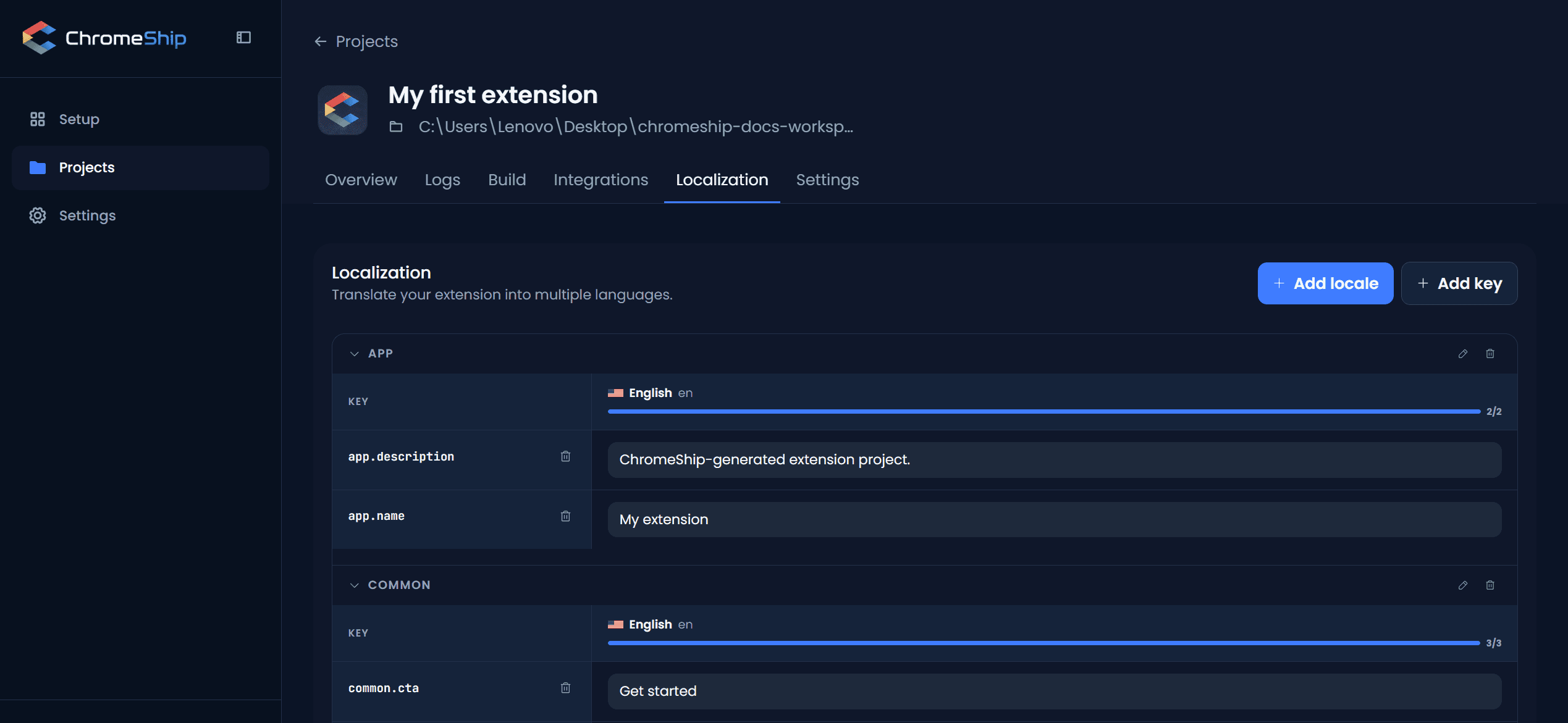
Organize keys
Group related keys by feature or surface, such as popup.title and settings.theme. The table stays readable even as the product grows.
Use translations
import { useTranslation } from "@/i18n";
const { t } = useTranslation();
t("credits.remaining", { count: 3 });
Chrome Web Store listing
Production builds generate _locales/<locale>/messages.json. Those folders also make the same languages available when you localize the Chrome Web Store listing.
Dynamic values
Insert values with placeholders such as {name} and {count}. Missing translations fall back to English instead of rendering an empty label.
Next
Combine with environment variables for env-aware translations. Build your extension — the _locales directory is generated automatically. See the surfaces page to choose where your localized UI lives.